HOW TO USE ”LAB BOOKING SYSTEM”
1) Please login to https://sd.usm.my/ by using your student or researcher account
2) On the home page, you choose JABATAN NEUROSAINS (PPSP)

3) You will be asked for your account, please login into your campus online account.

4) Once logged, click on "New Ticket"

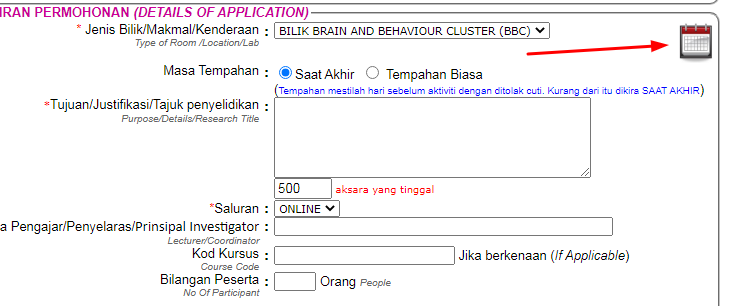
5) Select the preferred lab/room.

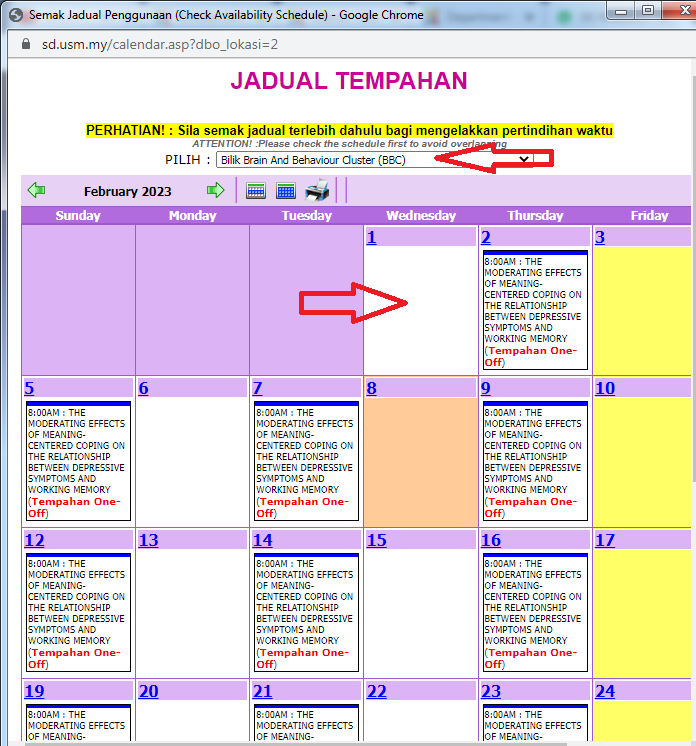
6) Key in the details and you need to check the avaibility of the room by checking the calendar icon.
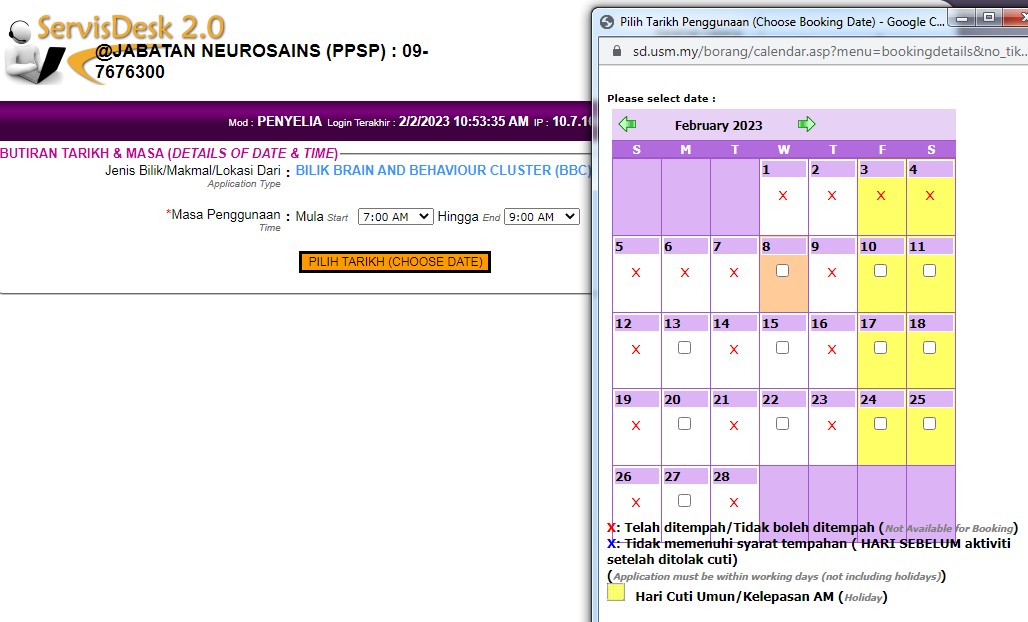
7) Now you can choose the date and time.
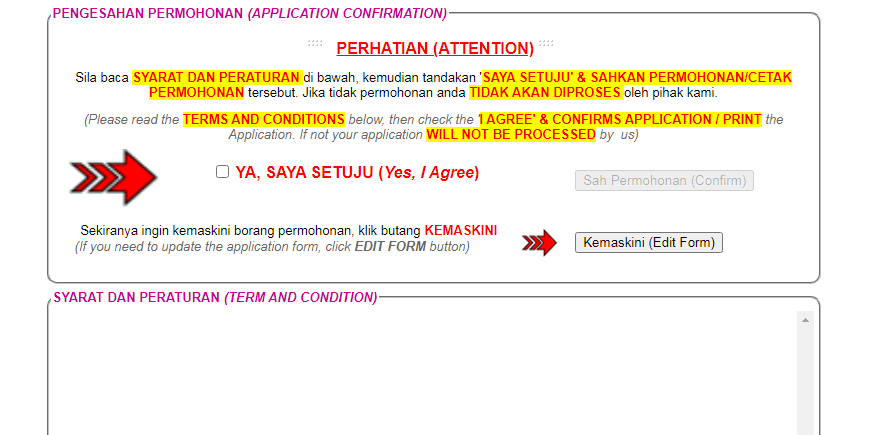
8) Lastly you need to verify the requested form and attach support files if any.
9) If any special request need, you can discuss it with your supervisor and science officer in charge.
Department of Neurosciences
- HOME OF NEUROSCIENCES
- ABOUT US
- Students
- USM@KL
- Integrated Psychology Programme
- Doctorate of Integrated Psychology Programme
- Master of Integrated Psychology Programme
- Cognitive Neurosciences
- Neurosurgeon
- Neurosciences
- Master Surgery (Neurosurgery)
- INP
- USM-UTP Supervised Student
- Member of Staff
- Specialist & Lecturers
- Affiliate Specialists and Lecturers
- Administrative and Support Staff
- Brain & Behaviour Cluster (BBC)
- Integrated Psychology Programme USM-UPSI
- INP Team Members
- Cognitive Neuroscience Team Members
- MO Service Neuro
- Our History
- Visiting Scientists/Professors
- CLINICAL SERVICES
- RESEARCH & PUBLICATIONS
- GRADUATE PROGRAMS
- NEURO STUDENT RESOURCES
- KNOWLEDGE TRANSFER PROGRAMME